While exporting an initiative to PDF format, what about the different documents included in your initiative ?
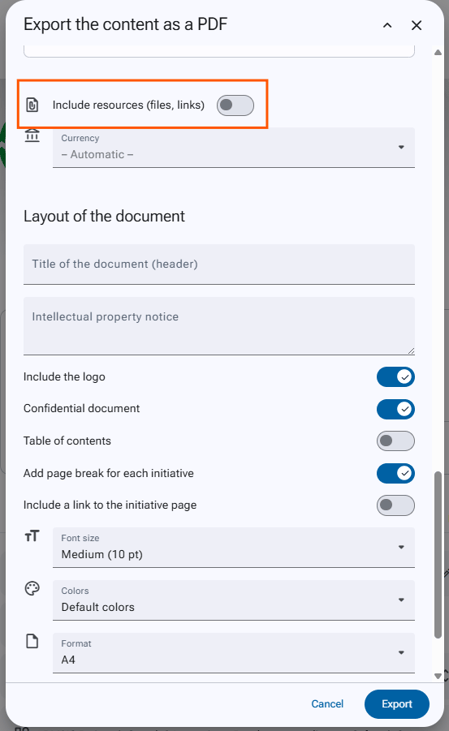
By default, the application does not include the documents in your report, to change this you need to:
- Open the form of your initiative.
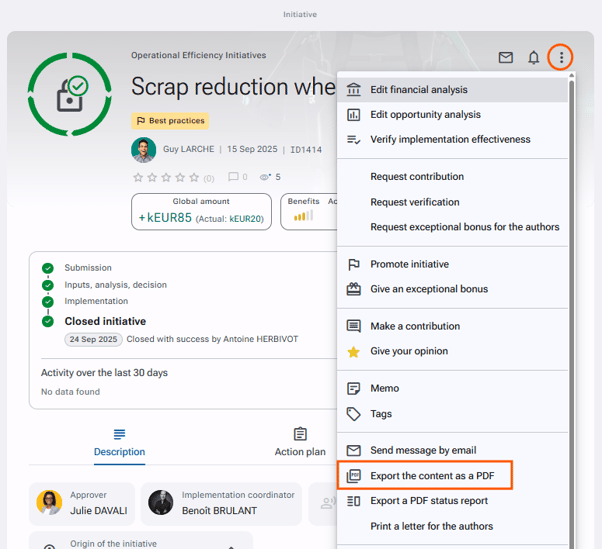
- Click on "Export the content as a PDF" via the actions button.
- Click on "Options".
- Within the "Data to Export" section, activate "Include resources (files, links)".
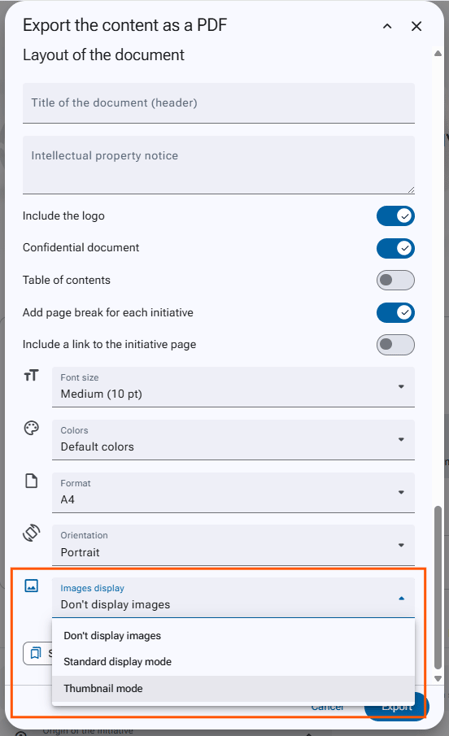
- Then in the "layout of the document" section, in "Image Display", select the desired format (Thumbnail mode / Illustration mode) from the drop-down list.
- Generate your document by clicking on the "Export" button at the bottom of the page.