
When the "Tasks" module is enabled in IDhall, the implementation of an initiative can be broken down into elementary tasks, thus forming an action plan.
An action plan can be created by adding tasks one by one or by applying a predefined template that can then be adjusted.
It is also possible to apply phases templates, usually corresponding to a project methodology.
Each task includes:
-
A title
-
A phase (if a phase template is applied)
-
A task owner
-
A description
-
A start date
-
An end date
-
A duration
-
An estimated workload (if the "Resources" module is enabled)
To define the action plan in the initiative submission form:
-
In the "Action Plan" tab, under the "Details of the action plan" section, click "Define action plan".
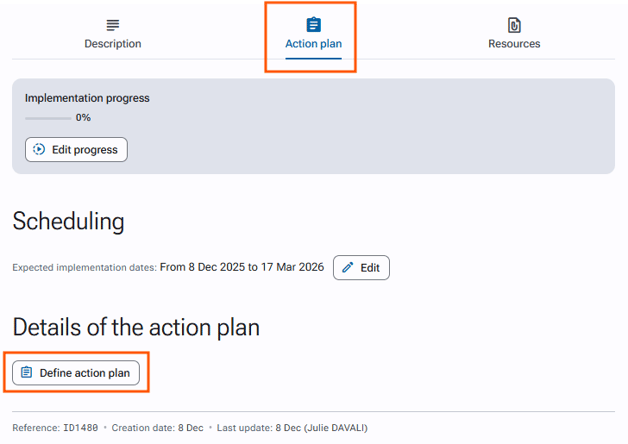
-
Then click "Add task".
-
Fill in the fields according to your criteria.
-
Click Save and submit at the bottom of the page.
There is no limit to the number of tasks.