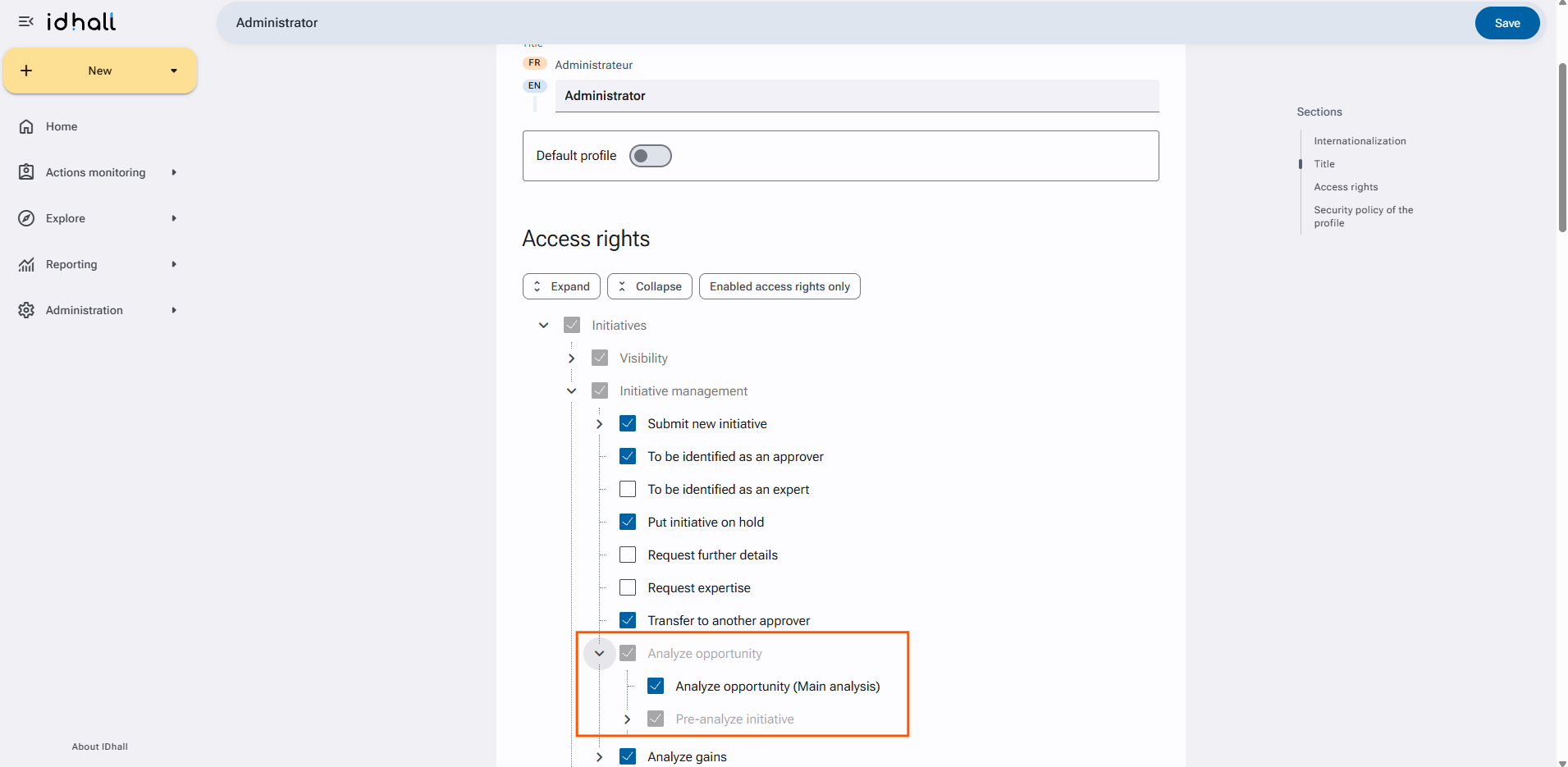
There are 2 conditions to be able to analyze an initiative:
- The opportunity analysis must be activated.
- The user must have the necessary rights to perform the analysis (knowing that the approver automatically inherits this right).
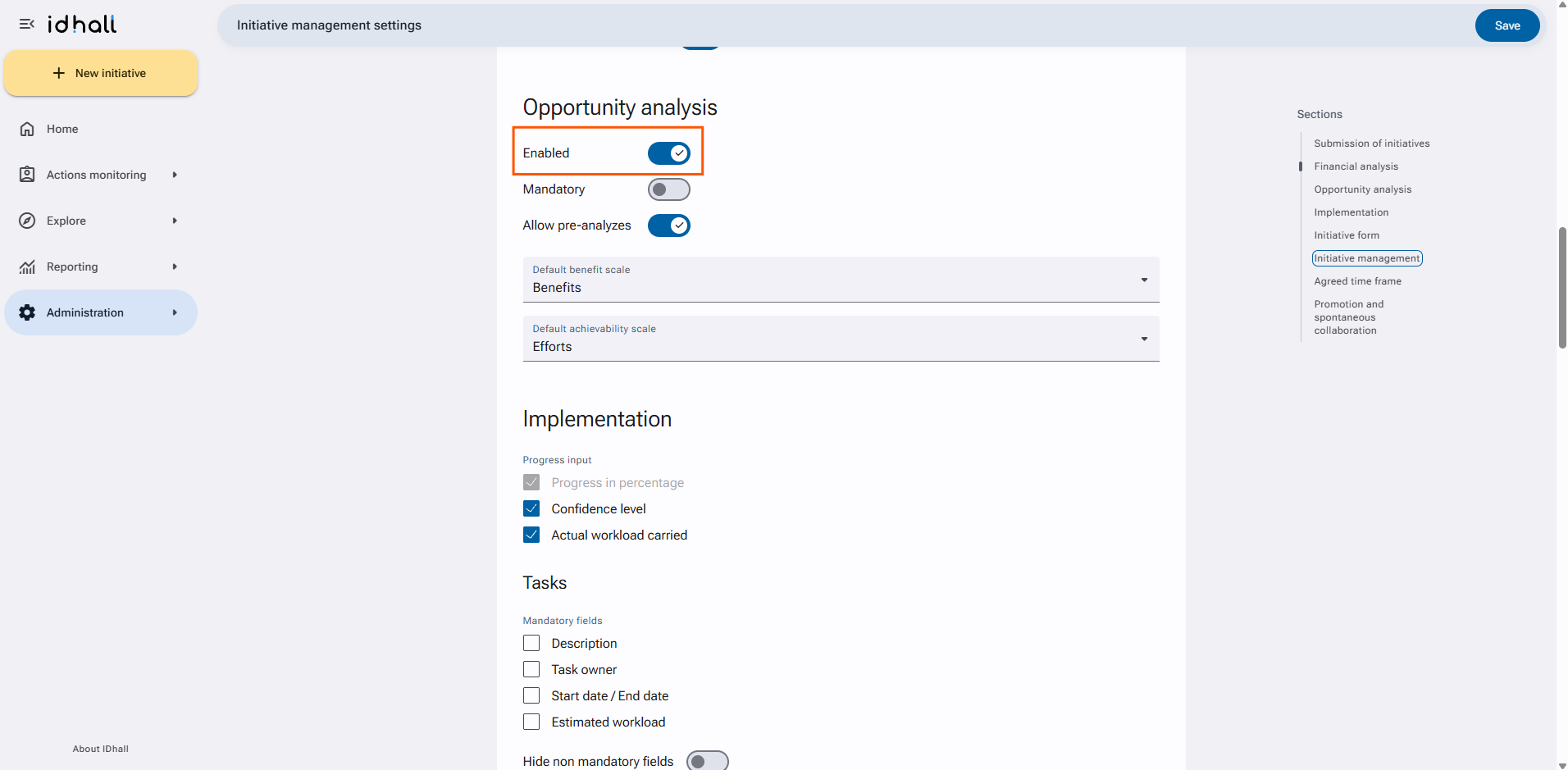
To activate the opportunity analysis
- Go to Administration > Initiative management > Initiative management settings.
- Click on "Enabled" in the Opportunity analysis section
- Click on "Save" at the bottom of the page.
To give the necessary rights to carry out the analysis
- Go to Administration > Users & Access profiles > Access profiles.
- Click on the required profile.
- Click on on the pencil on the upper righ to edit the profile.
- For Initiatives > Initiative management, check the right "Analyze the opportunity (Main analysis)".
- Click on "Save" at the bottom of the page.