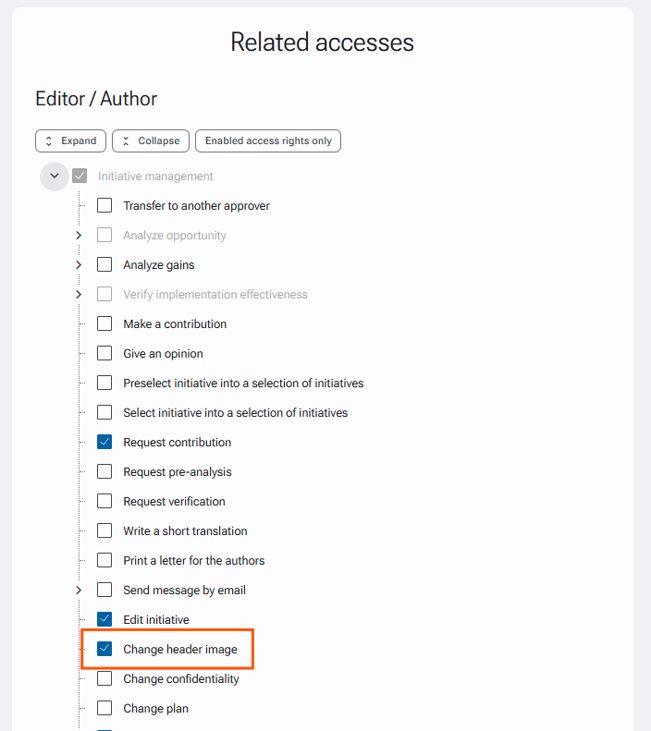
The inability to change the cover image of an initiative after it has been published depends on the permission granted in the related accesses settings.
To allow the Editor / Author of the initiative to make this change:
-
Go to Administration > Initiatives Management > Related accesses.
-
In the "Editor / Author > Initiatives Managemen"t section, check the option "Change header image".
This will allow the author to change the header image of their initiative after publication.