
Access to the gains analysis requires several prerequisites:
- The Financial analysis module is activated on your environment.
- The "Financial Analysis" option is enabled in initiative management.
- A default currency is stored in the application.
First of all, you must check that the financial analysis module is activated in your environment:
- Go to Administration > Application management > Technical settings and license.
- Verify that the Financial analysis module is enabled as shown in the screenshot below.
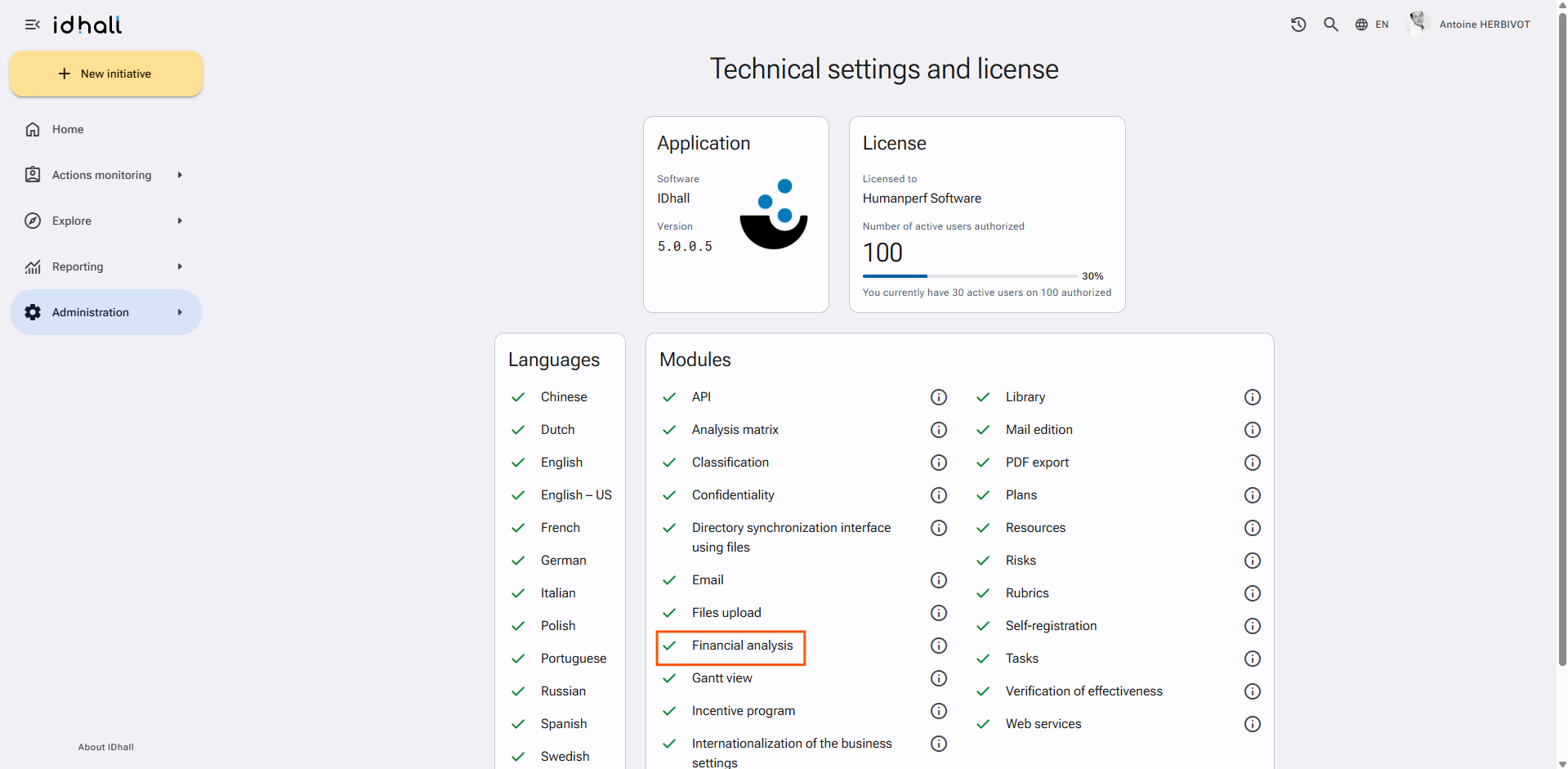
If this is the case, it is then necessary to check that the "Financial analysis" option is activated:
- Go to Administration > Initiatives management > Settings.
- In the "P&L Analysis" section, check "Enabled".
- Click on "Save" at the bottom of the page.
In order to be able to perform a earnings analysis, the application requires a defined default currency.
To set a default currency:
- Go to Administration > Application Management > General settings.
- In the "Default Currency" section, click on "Define different currencies".
- Fill in the different criteria of the new currency.
- Click on the round and blue button to the right of the line to validate the new currency.
- Click on "Save" at the bottom of the page.