IDhall allows you to add memos to initiatives. These memos are personal notes and are not visible to other users. They are the equivalent of a digital Post-it*.
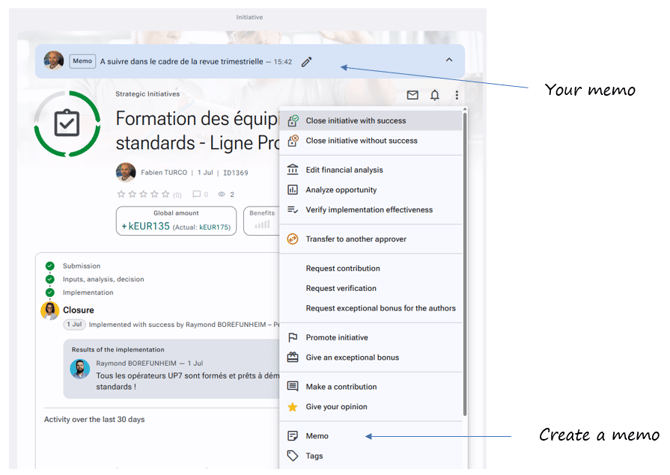
In the initiative’s detail page, you can access the memo by clicking “Memo” from the actions button. Once your memo is saved, it will appear at the very top of the initiative’s page in a blue banner. You can edit or delete it by clicking directly on it.
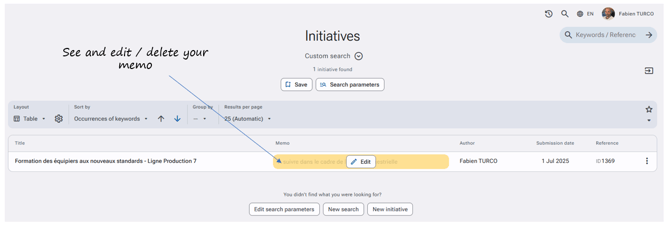
In the Explore section, for all three available views (List, Table, Cards), when “Memo” is checked in the list of information to display, you will find the memo displayed in a yellow banner. By hovering over the memo with your mouse, you can edit or delete it.
Permission required to use the memo: Administration > Access profiles > Initiatives > Notes > Memo