
In your application's administration, you can configure both a reference currency and a default currency.
This article explains the difference between these two concepts, which are not linked to each other.
The reference currency
Go to "Administration / Application management / Currencies" to create as many currencies as you wish.
In order to manage exchange rates, you must define a Reference currency. Its value will always be equal to 1, and the other currencies will be calculated in relation to it.
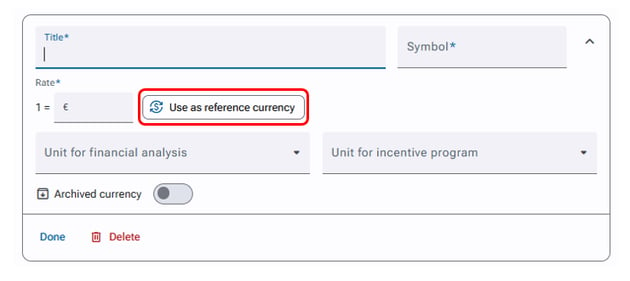
You can select your reference currency when creating or editing a currency:
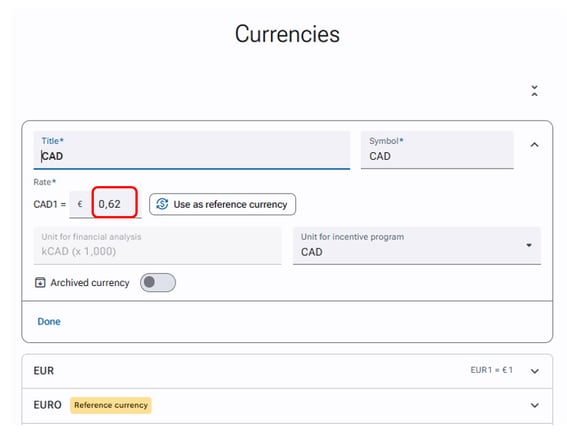
You will then need to enter the conversion rates of other currencies relative to the reference currency, as in this example with the Canadian dollar, for which we entered a rate of 0.62 compared to the euro, our reference currency:
The default currency
You can choose your default currency in "Administration / Application management / Application settings / Local settings".
The default currency is simply the one that will automatically be applied in the application, for example during a financial analysis.
If a user has chosen their own default currency in their account preferences, that currency will be applied in their environment.
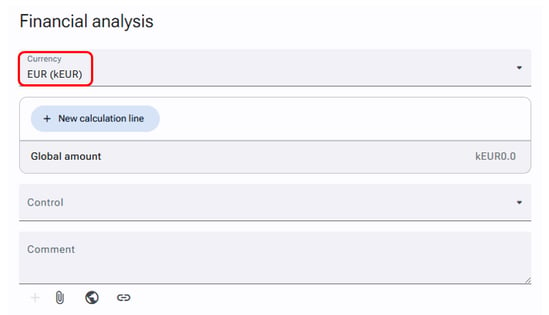
It is entirely possible to have a reference currency that is different from the default currency!
It is also important to note that when multiple currencies have a rate equal to 1, the application displays as the "Reference currency" the first one it finds with that rate. Though it will give preference to the "default currency" if that one also has a rate of 1.