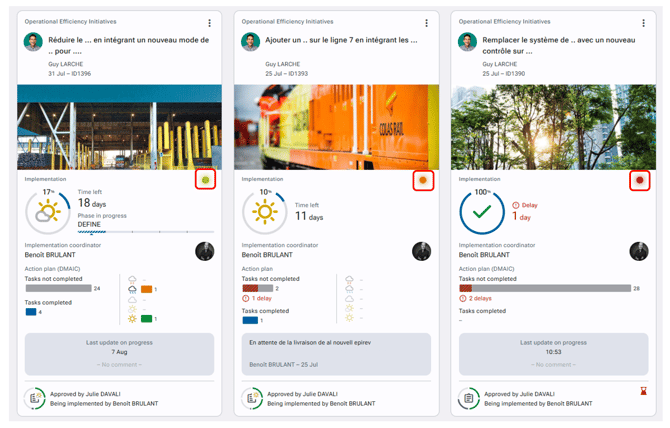
When using the "Cards" and display "Rich content / Implementation", the media includes a colored “light” in its upper-right corner.
This light, ranging from red to bright green, is a very visual indicator of the “health” of the implementation. It is only visible for approved and planned initiatives. Its color is determined based on the confidence level, and it is absent if the confidence level is not specified.
-
If the initiative is behind schedule on its implementation end date, a red light is displayed (regardless of the confidence level).
-
If half or more of the unfinished tasks are overdue, the light will also be red.
-
If at least one task is overdue but the number of overdue tasks is less than half of the ongoing tasks, the light will be orange — unless another factor has already triggered a red light (such as a delayed implementation or a very low confidence level).