Sometimes it’s useful to build on existing initiatives—because they share a common context, have similar expected results, or include contributions worth revisiting in the context of a new initiative.
IDhall allows you to link one initiative to another through contributions or comments made at each stage of the cycle—whether during enrichment and decision-making, implementation, or closure of an initiative.
Links between initiatives (added via the icon representing a horizontal chain link) appear in the initiative record at the exact point in the contribution where they were added.
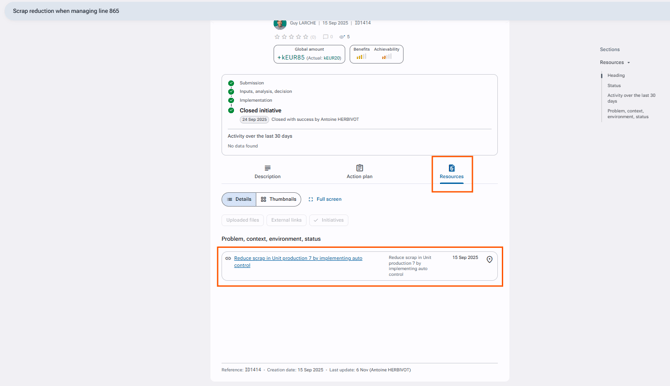
The Resources tab allows you to view all the links made with other initiatives.
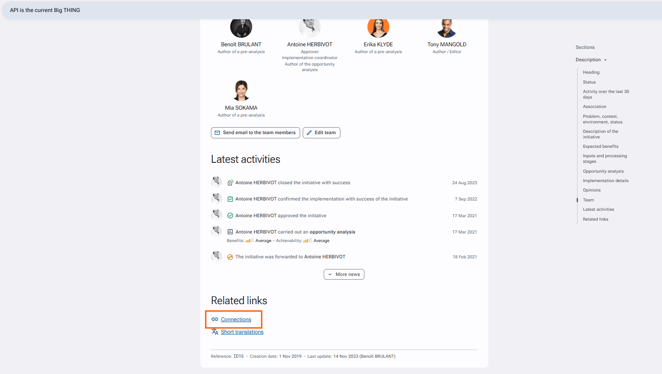
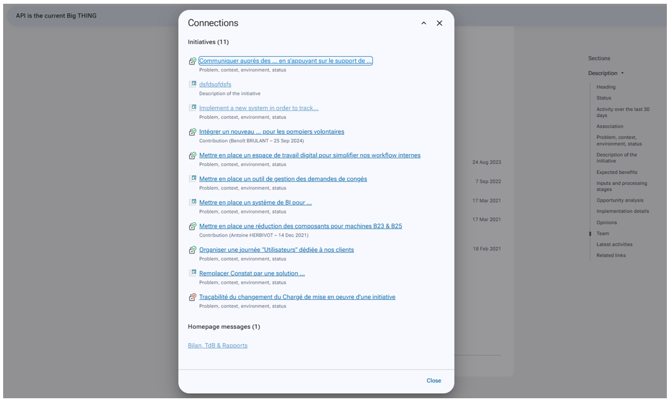
As for the linked initiative, you can find all referenced initiatives through the "Connections" link, located in the Related Links section at the bottom of the initiative’s description page.