
Each customer is autonomous in the management of his access profiles. Even if there is generally one "Administrator" profile that has all the rights, you can easily create a new access profile and give it limited access within the administration section.
For example, you could create an access profile with editing and visibility rights of his/her plans only. Users with this new profile will be able to manage their plans without having access to all administration features.
To create an access profile
- Go to the Administration > Users & Access profiles > Access profiles.
- Click on "New access profile" via the "+" button.
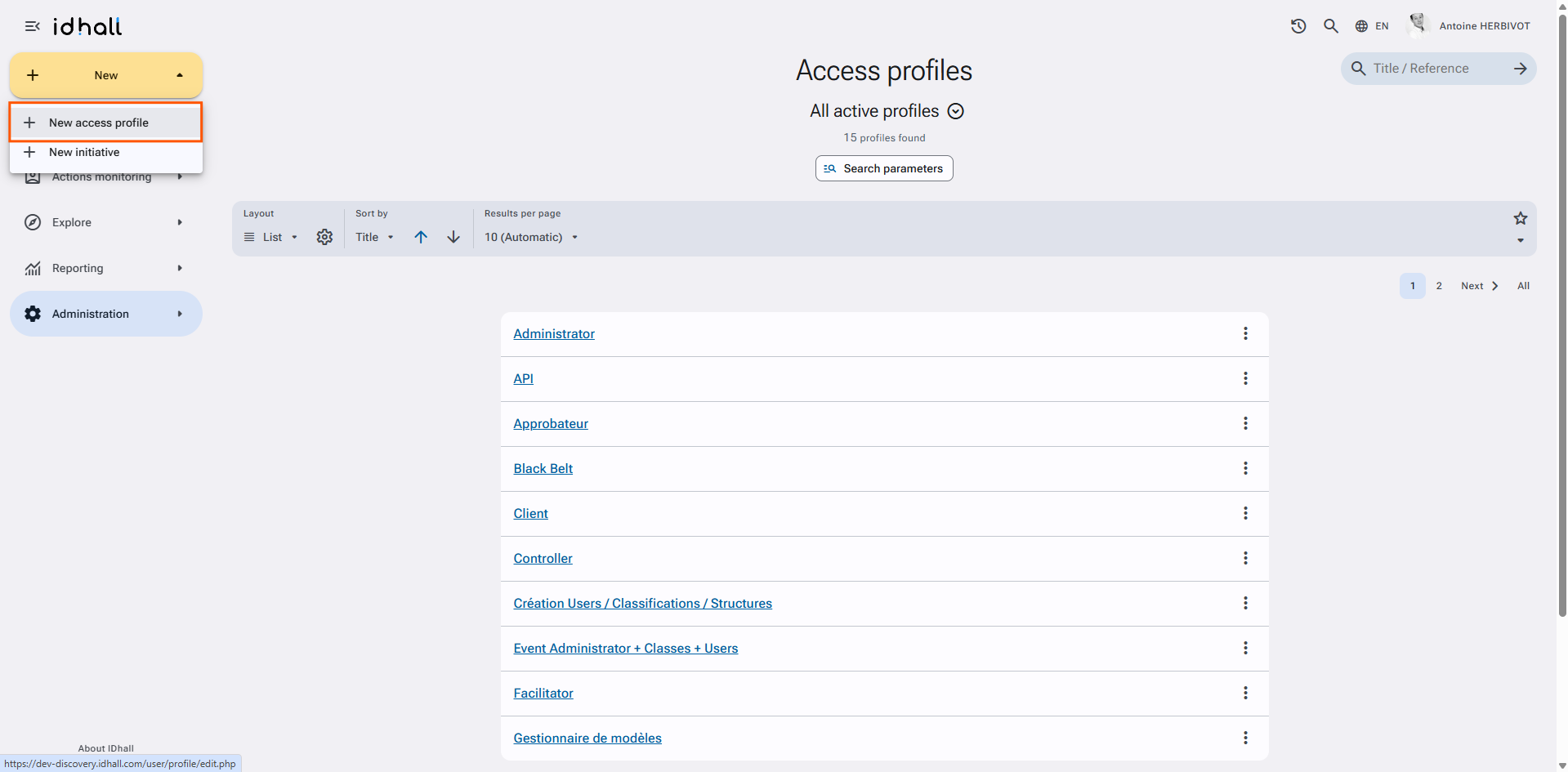
- Set up the new profile.
- Click on "Save" at the bottom of the page.
To assign a profile to a user
- Go to Administration > Users & Access profiles > Users.
- Select the user by clicking on its name.
- You can modify it by clicking on the pencil on the upper-right.
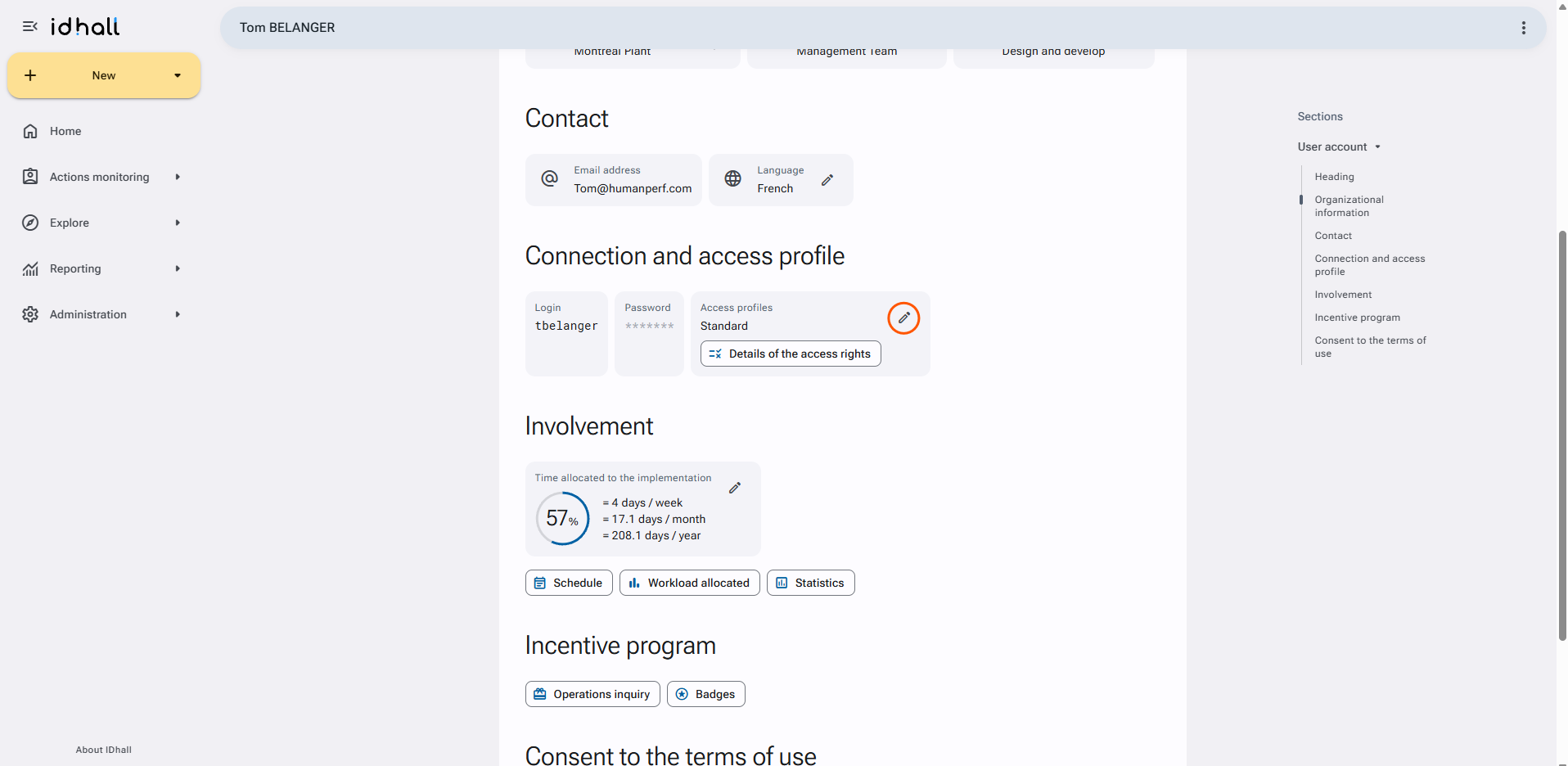
- In the "Access profile" section, click on "Add" to add a new access profil to the user.
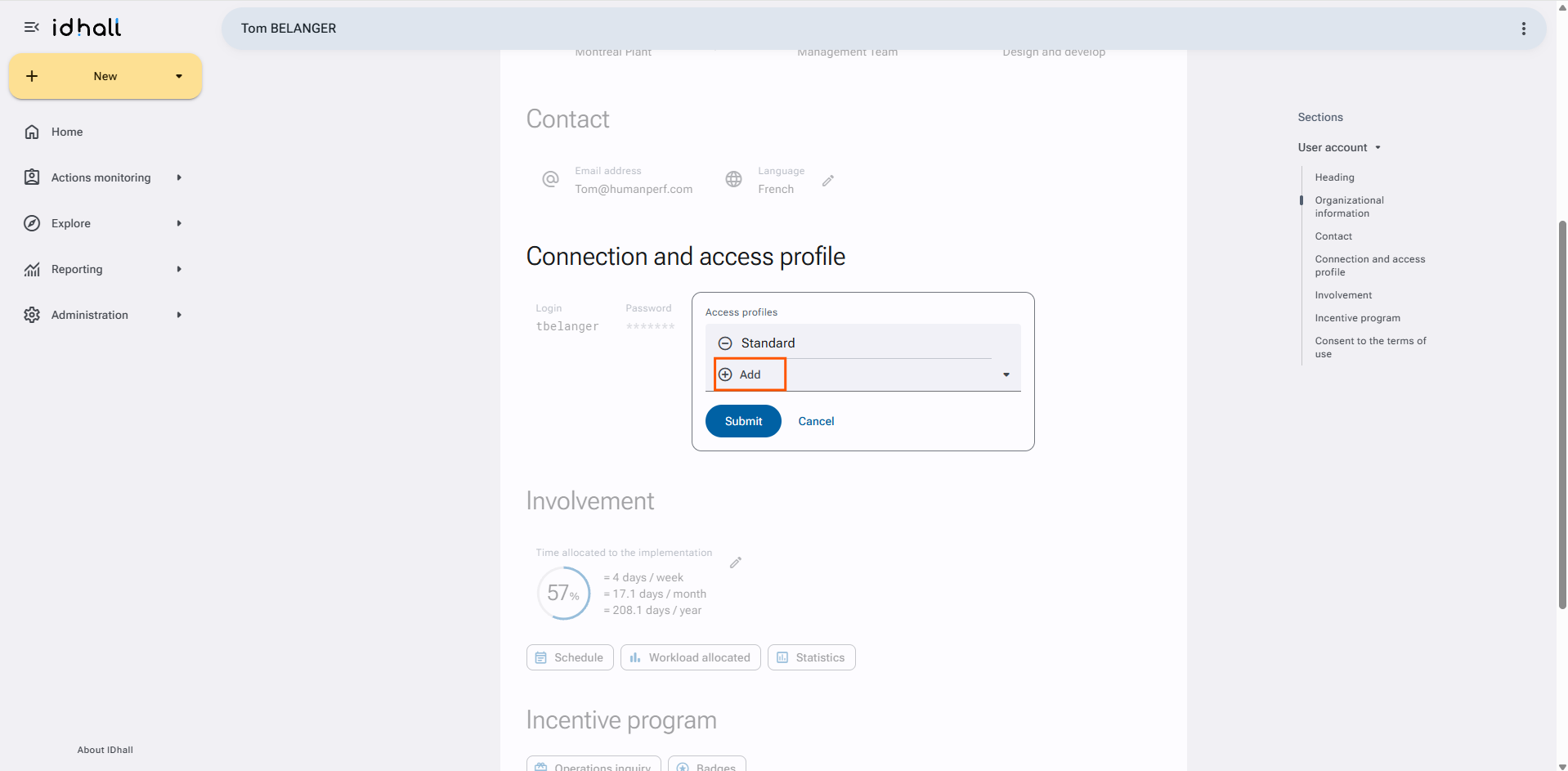
- Select the access profile you want to add.
- Validate the changes by clicking on the "Save" button at the bottom of the page.