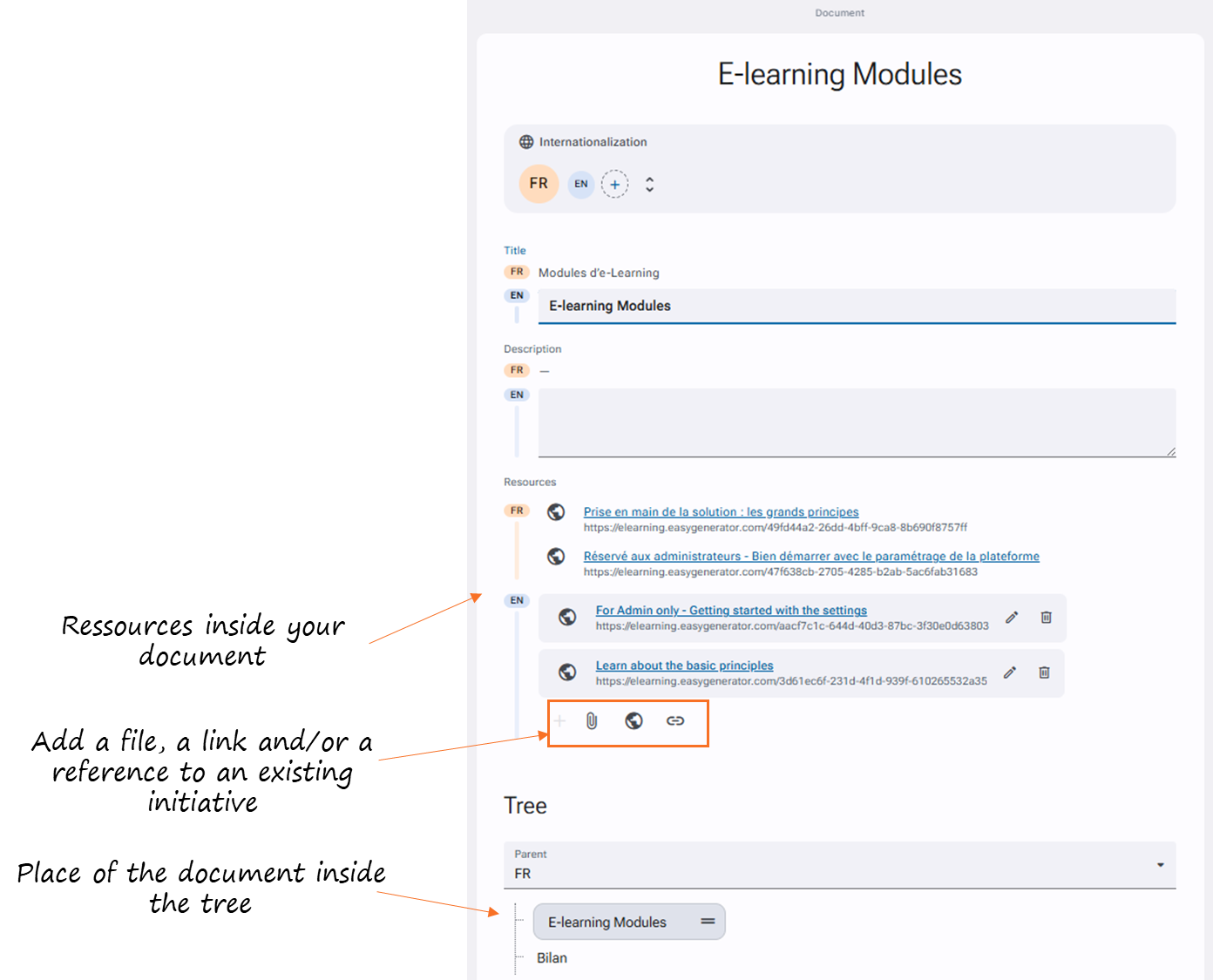
The document management features allow you to store and share various types of documents and files within your application.
You can manage your document repositories in the Administration > Templates and documents > Document management section* of your application.
The document can be created hierarchically, and each document can contain:
- A title
- A description
- Attachments, links, or references to existing initiatives
For end users, it is possible to consult** them in the "Explore" section and/or display them on the homepage.
We recommend adding them to the homepage through "Administration > Application management > Homepage".
*Required permission: Administration > Access profiles > “modify profile” >Templates and documents > Document management > Visibility + Administration.
**Required permission: Administration > Access profiles > “modify profile” >Templates and documents > Document management > Visibility + Explore.