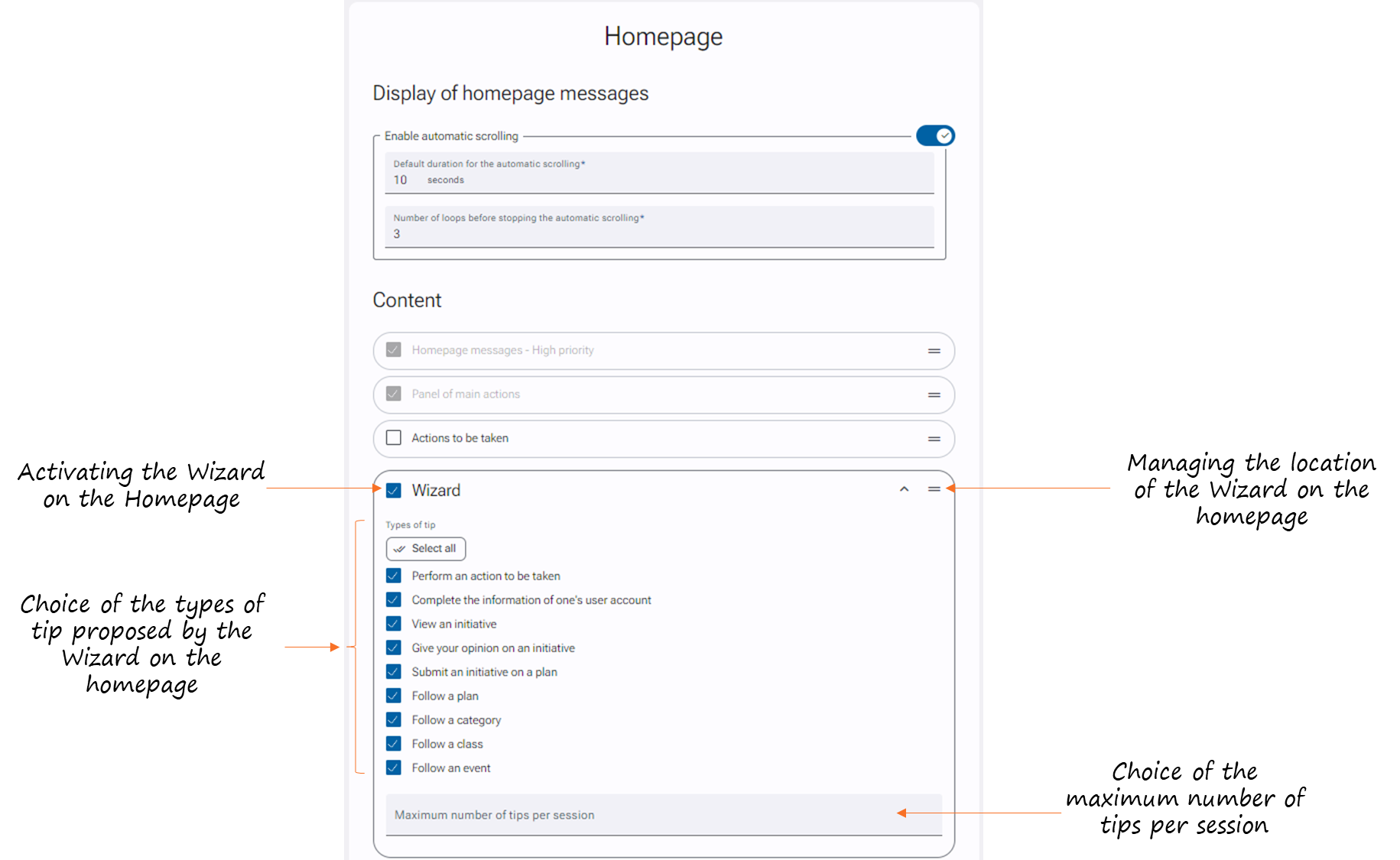
Activation of required rights
- Go to Administration > User & Access Profiles > Access profiles.
- Select the desired profile.
- Click on the brush in the upper right to edit the access profile.
- In the "Application Management" section, check the "Wizard" box.
- Click on "Save" at the bottom of the page.
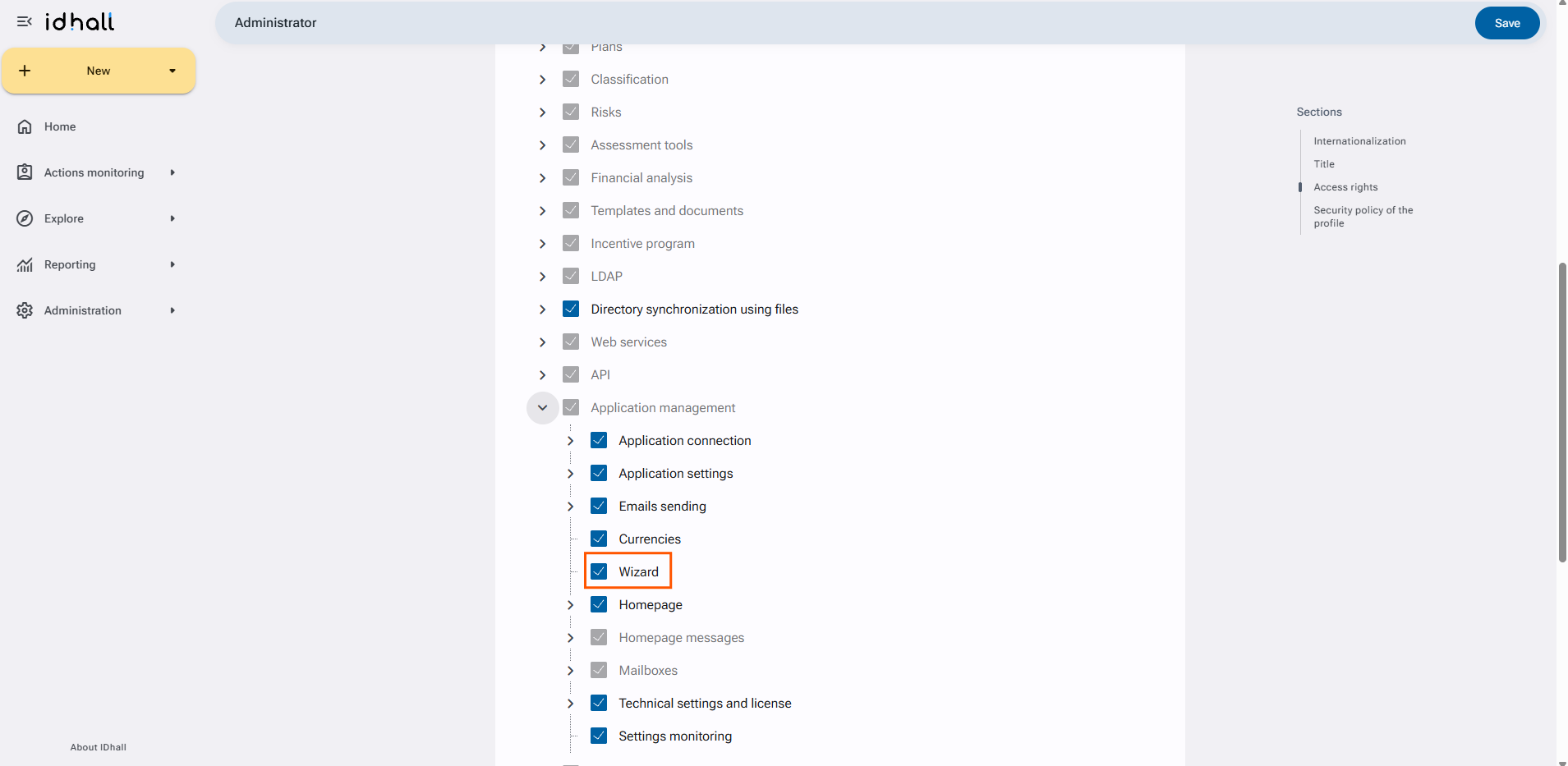
Configuring Wizard suggestions
- Go to Administration > Application management > Wizard.
- For the "Possible types of tip" section, choose the different suggestions that will be proposed to you by the Wizard.
- For the "Tip for "Performe an action to be taken"" section, choose a delay the Wizard should wait before reminding to update an action to be taken.
- Click on "Save" at the bottom of the page.
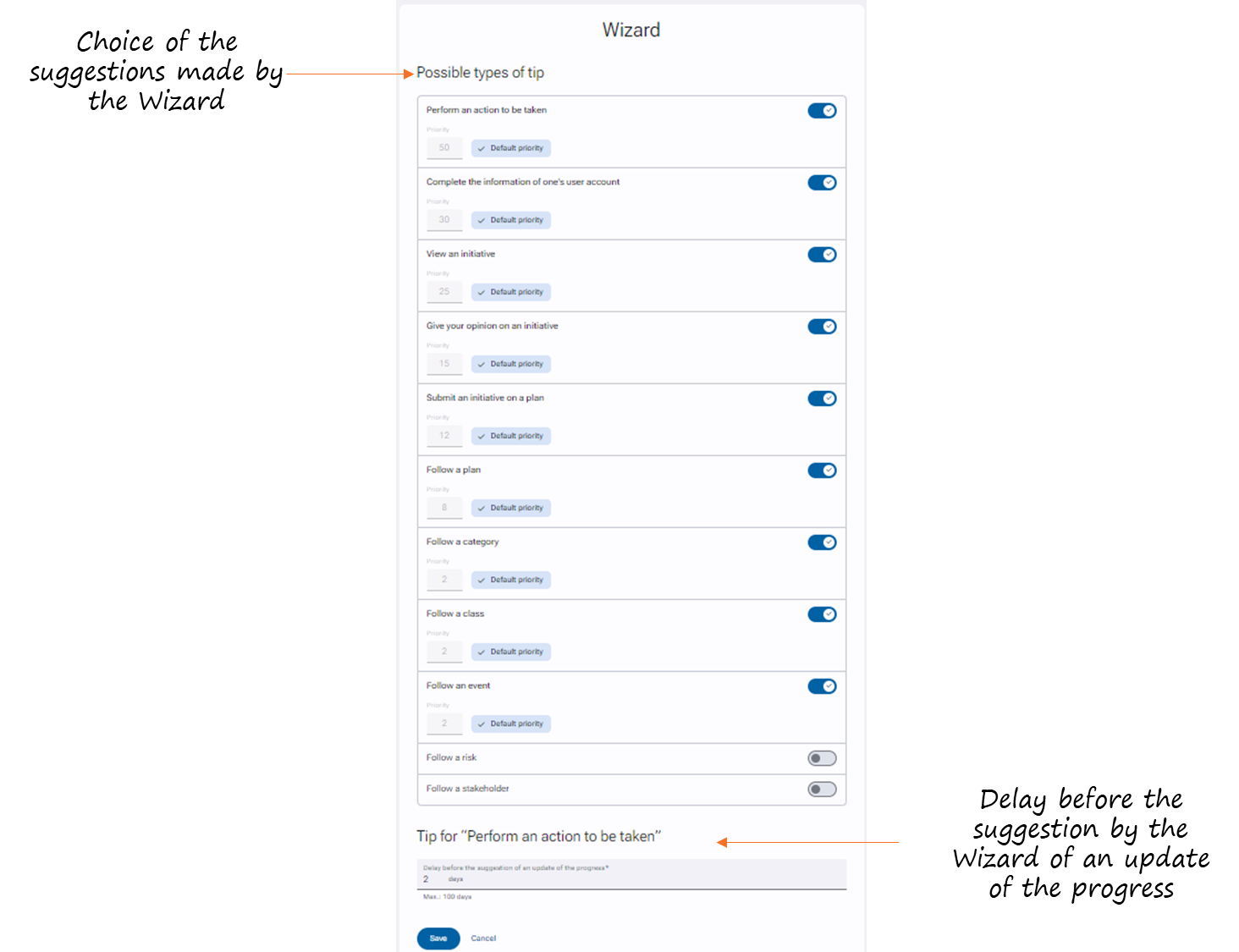
Activating the Wizard on the homepage
- Go to Administration > Application management > Homepage.
- For the "Content" section, check "Wizard".
- Click on "Save" at the bottom of the page.