
It is possible to undo the last step of an initiative.
To roll back a step in the processing of an initiative:
-
Open the initiative’s page.
-
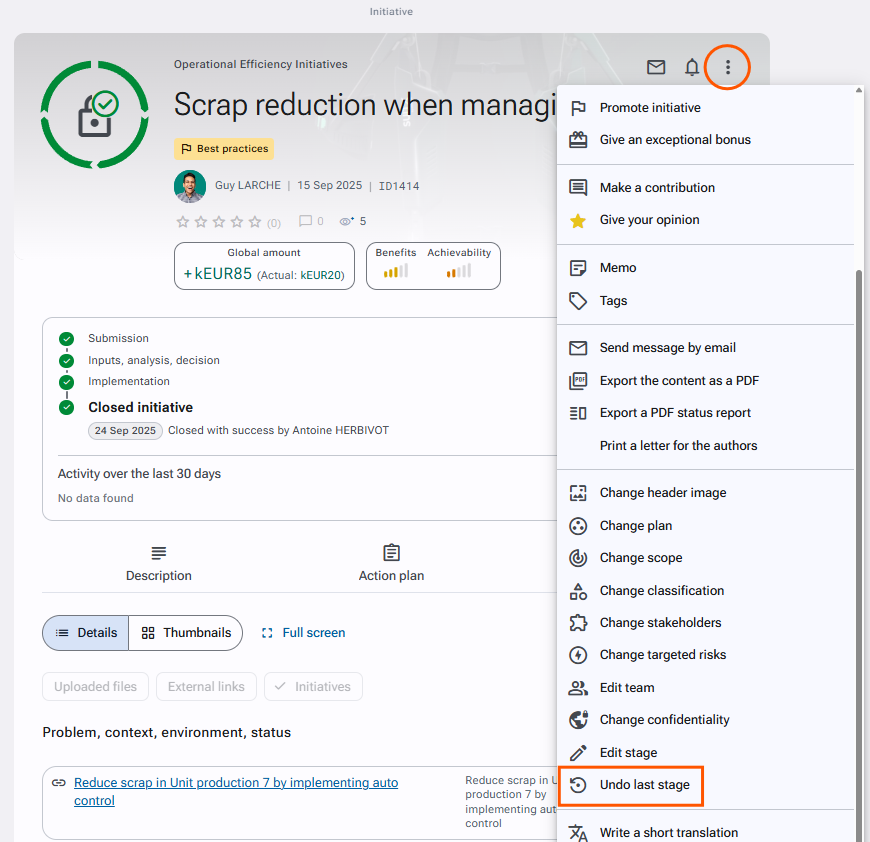
Click the actions button at the top right of the record and select "Undo last stage*".
-
Confirm the rollback by clicking "Continue".
Required right: Initiatives > Initiative management > Edit stage > Edit current stage > Undo last stage
This action is not available for initiatives in draft status or awaiting a decision.