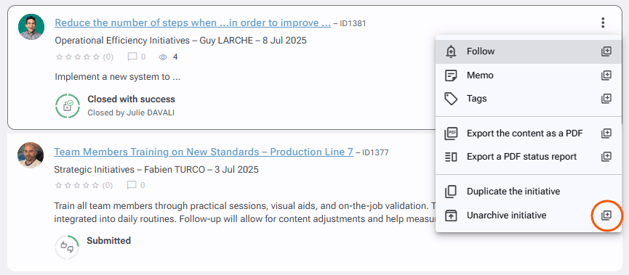
All the initiatives that have been archived can still be found in your environment.
To find archived initiatives
-
Go to the "Explore" tab.
-
Make sure the search is focused on initiatives, as shown below:

-
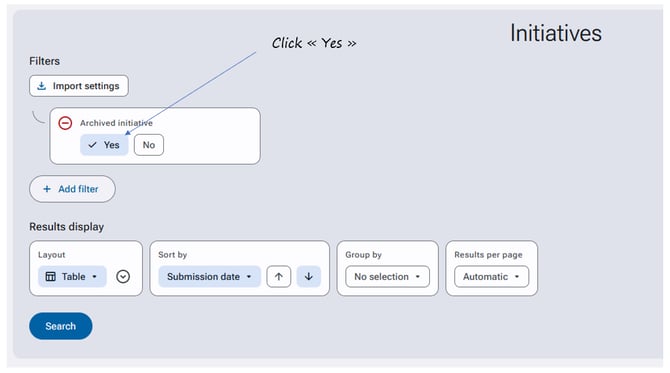
Click on "Search parameters", then select "Yes" for the "Archived Initiative" filter.
-
Click the "Search" button at the bottom of the page.
Archived initiatives will appear greyed out in the search results.
To unarchive an initiative
-
Open the initiative page.
-
Click the Actions button and select "Unarchive initiative".
-
Click on "Unarchive initiative" in the dialog box that appears.
To unarchive multiple initiatives at once
-
In the search results, click the three vertical dots to the right of an initiative, then select the small "+" square next to "Unarchive initiative".
-
Check the box next to each of the initiatives you need to unarchive.
-
Once the initiatives are checked, click on "Selection completed".
-
Confirm the unarchiving of the selected initiatives by clicking on "Unarchive initiative".