IDhall is a multilingual application. If the Internationalization of the business settings module is enabled in your environment, you can translate structural elements into multiple languages to encourage local adoption of the application.
Internationalizing the help topics on initiative submission
-
Go to Administration > Initiative management > Help topics on initiative submission.
-
Click the "+" in the left panel, then select "New Help topics on initiative submission" or edit an existing one.
-
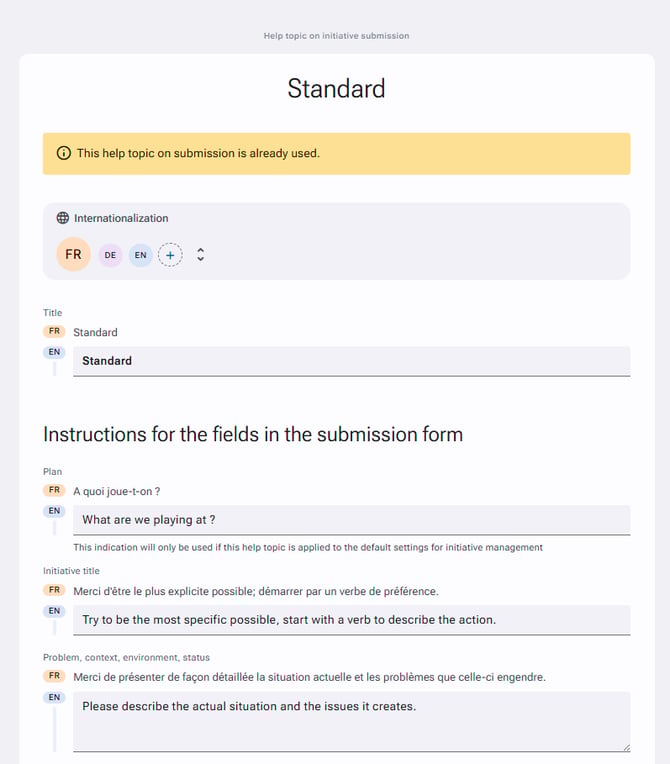
In the Internationalization section, click the "+" to add a translation.
-
Provide guidance for the form fields according to your needs.
-
Click "Save" at the bottom of the page to save your changes.
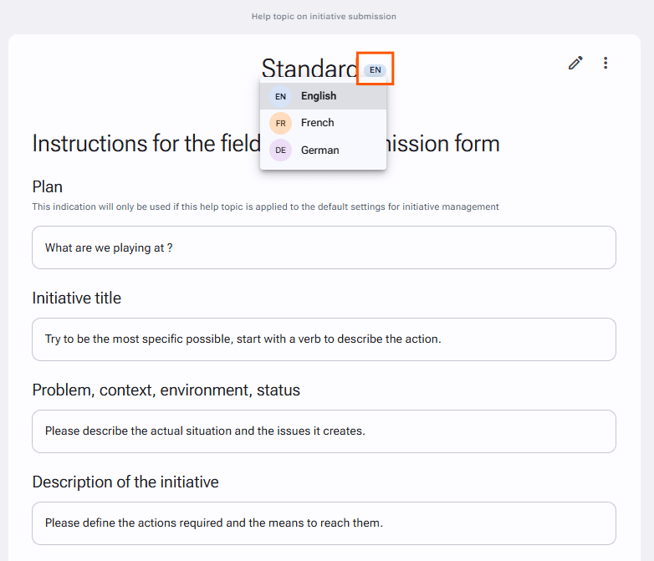
You can view your different translations by clicking the label to the right of the title of your help topics on initiative submission, as shown in the screenshot below: