
In the context of a challenge for example, it may be interesting to create a homepage message that presents the challenge, and that allows by clicking on the message to declare a new initiative on this plan.
This requires adding a URL to the homepage message. This URL corresponds to the form for submitting an initiative with the plan already filled in.
To add the link to your homepage message
- Go to the plan/challenge concerned
- Click on the "+ New initiative" button
- Copy the URL of the page displayed
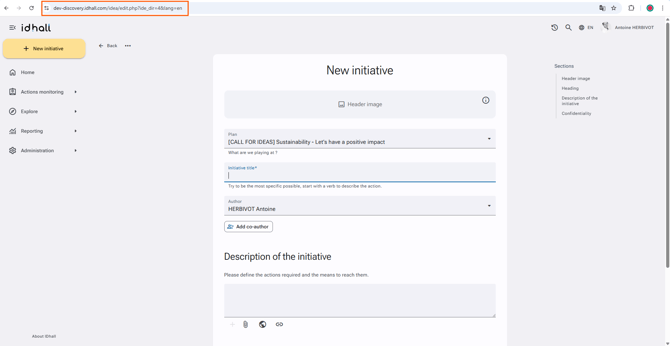
- Go to Administration > Application management >Homepage messages
- Click on "New homepage message" via the "+" button
- Create your message as you wish and paste the previously copied URL into the "URL" field
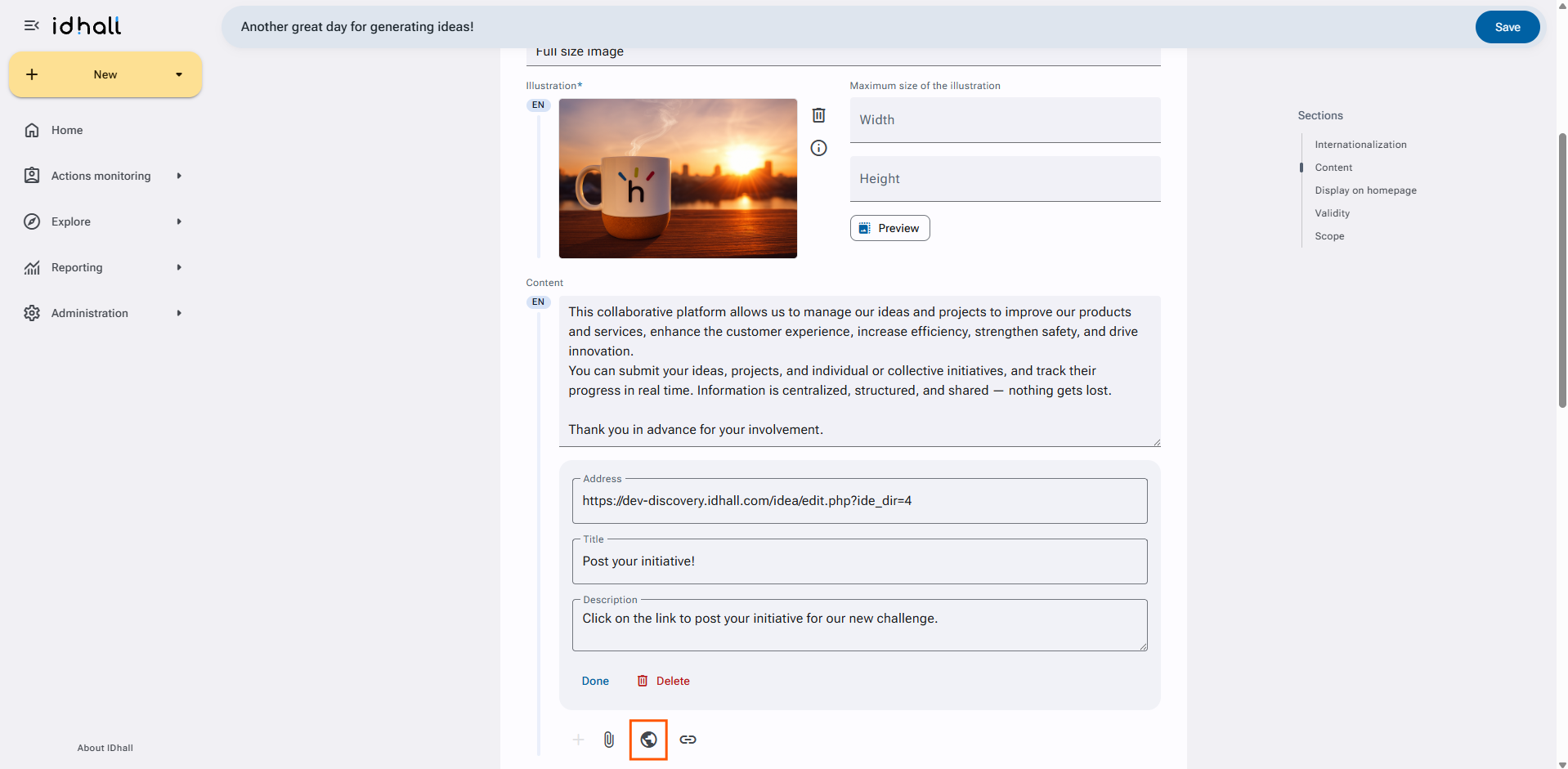
- Click on "Save" at the bottom of the page.