
In the "Reporting" tab, it is possible to display your initiatives in an implementation schedule by checking the "Implementation schedule" option. This type of report allows you to read your initiatives in a chronological grid as shown in the screenshot below:
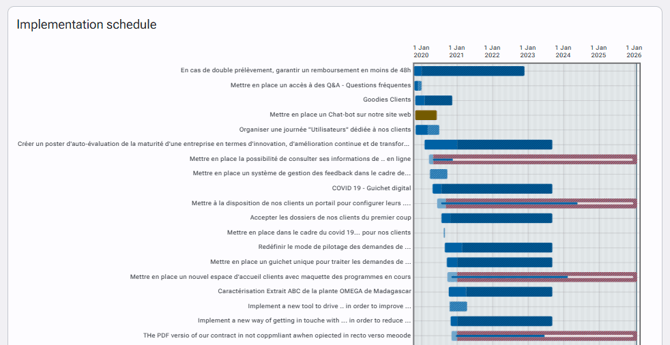
Several actions are available in this grid:
-The mouse over an initiative displays a tooltip indicating the name of the initiative, its start date, its actual end date or deadline, its progress and status.
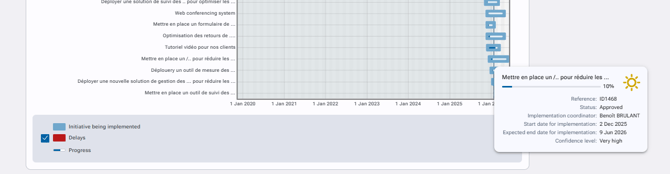
-It is also possible to access the file of an initiative by clicking on its title. It is recommended to open the initiative in a new tab via a right click, in order to easily go back to the report if needed..
-If you need to zoom in on a specific period, just select it with the mouse. To unzoom, you must double-click on the implementation schedule grid.