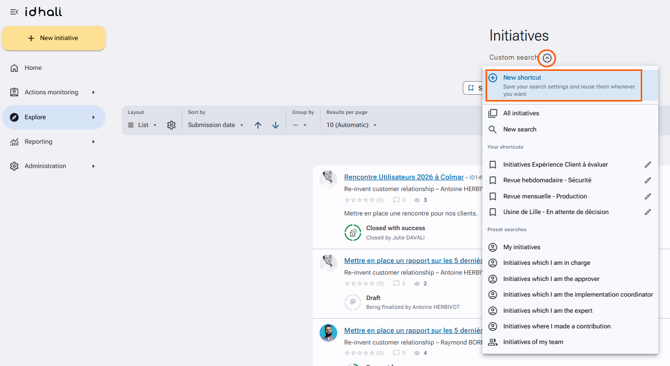
To create a search shortcut in IDhall
- Go to the "Explore" section.
- Indicate in the fields the desired search parameters by clicking on "Search settings".
- Click on the "Search" button at the bottom of the page.
- Click on "Custom search" and select "New shortcut".
- Give a title to your shortcut.
- Click on "Save".
This allows you to keep the search criteria used so that you can easily re-use them without having to re-enter them.