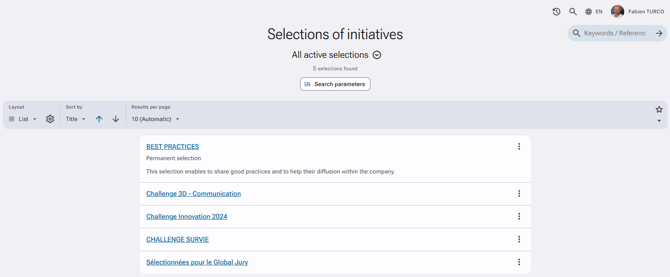
Selections are used to identify and highlight initiatives on different themes, such as awards, best practices, remarkable initiatives, etc.
Selections are linked to a specific visibility right (in access profiles: Access rights > Initiatives > Visibility > Visibility scope > Any initiative promoted within a selection). Initiatives from a plan that are part of a selection will be shared even if the user does not have viewing rights for that plan.
There are two types of selections:
-
Permanent selections – usually linked to ongoing themes such as best practices.
-
Event/Challenge selections – allowing different selection statuses (preselection in progress, selection in progress, closed) useful for awards, competitions, etc.
To create a new selection
-
Go to Administration > Initiative management > Selections of initiatives*.
-
Click "New" then "New selection of initiatives".
-
Fill in the fields according to your criteria.
-
Click Save at the bottom of the page.
Required permission to create a selection: Initiatives > Selections of initiatives > Visibility / Search / Administration.