
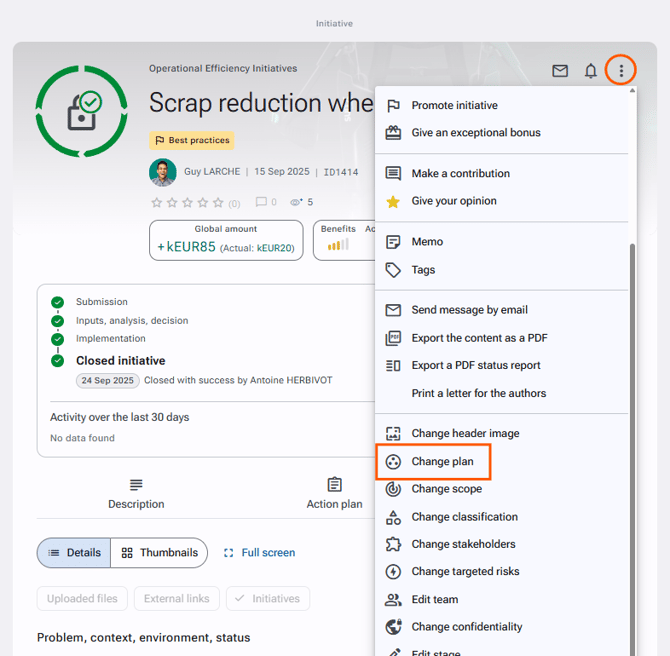
An initiative is usually attached to a plan. If it is not the case and you want to add the initiative to an existing plan or if you want to change the plan it is attached to, you can change the plan.
To change the plan of an initiative
- Open the initiative file.
- Click on the action button at the upper right.
- Select "Change the plan" from the drop-down list.
- Choose the desired plan.
- Click on "Save".
Access rights: Initiatives > Initiative management > Change the plan
If you have the "Edit the initiative" right, you can also modify the plan via the initiative form:
- Open the initiative file.
- Click on the action button at the upper right.
- Select "Edit the initiative" from the drop-down list.
- Choose the desired plan for the "Plan" section.
- Click on "Save" at the bottom of the form.