Modifying the homepage allows you to choose and organize the content available when the user connects to IDhall.
To authorize or not a user to modify his homepage
- Go to the Administration > Users & Access profiles > Access profiles.
- Select the appropriate profile.
- Click on "Edit" via the pencil on the upper right.
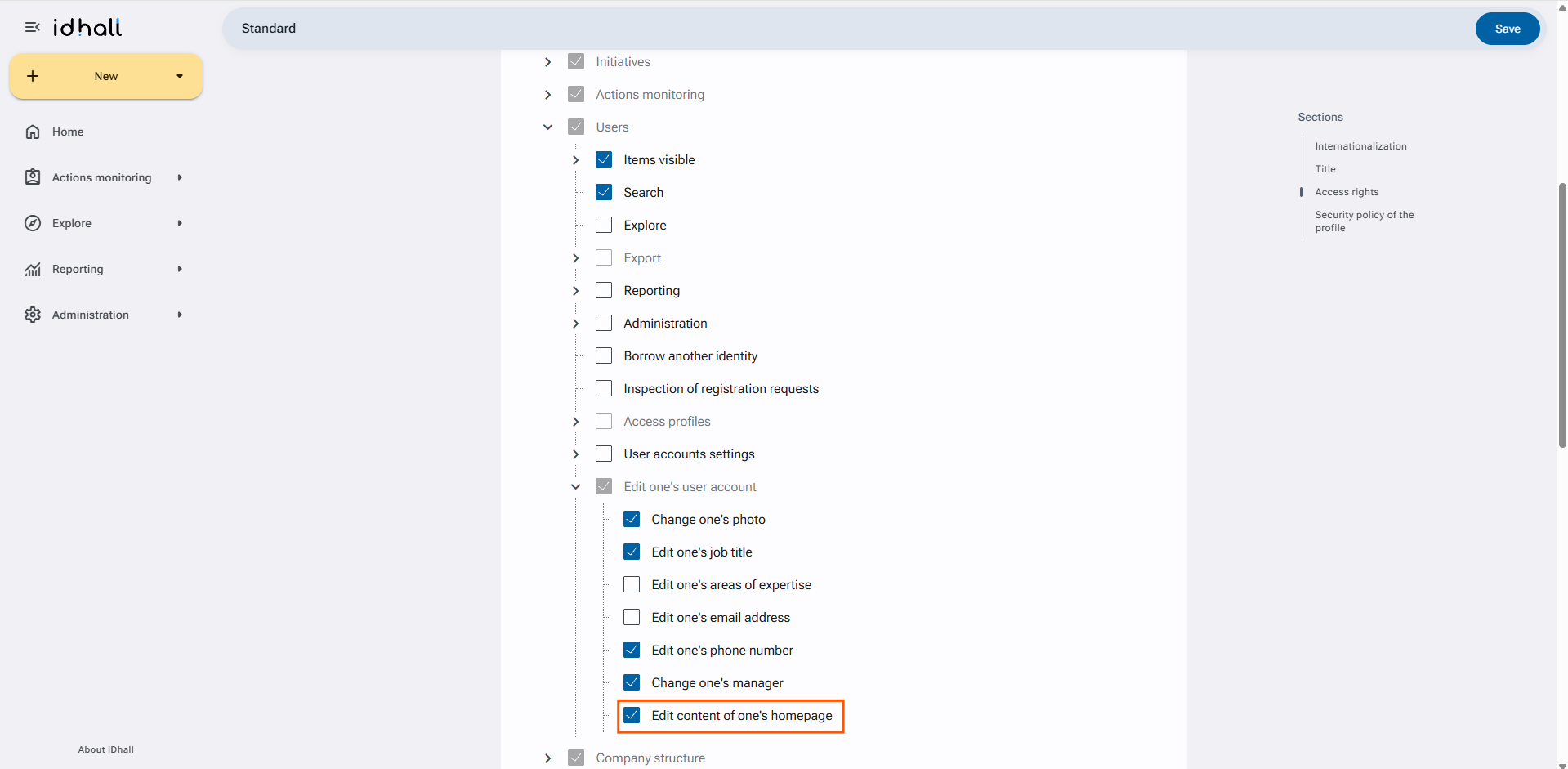
- In the Access rights > Users > Edit one's user account, check or uncheck the option "Edit the content of one's homepage".
- Click on the "Save" button at the bottom of the page.
When authorized, the user can modify the content of his homepage in his preferences.