
In order to give a quick access to one's shorcuts, you can add them to the homepage:
- Go to Administration > Application management > Homepage.
- In the "Content" section, check the "Shortcuts" field.
- Expand the menu with the arrow next to the "Shortcuts" field.
- In the "Last shortcuts used" field, indicate the maximum number of shortcuts you want to display on your homepage.
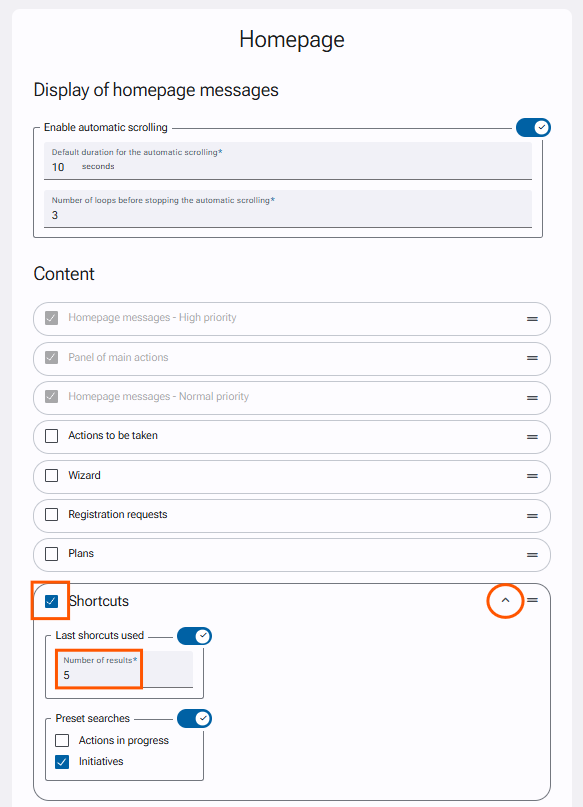
- Click on "Save" at the bottom of the form to save your changes.
The "Preset searches (Initiatives)" field allows you to add shortcuts with predefined search criteria on your homepage such as:
- My initiatives.
- Initiatives which I am the sponsor.
- Initiatives which I am the approver.
- Initiatives which I am the implementation coordinator.
- Initiatives which I am the expert.
- Initiatives where I made a contribution.
- Initiatives which I am the financial controller.
- Initiatives which I am an additional team member.