
IDhall is a responsive application, designed to offer a comfortable user experience on different devices: PC, smartphone or tablet. No need to download an app: you can simply use your device's browser and enter your IDhall URL.
If you want to use IDhall on a regular basis on your tablet or smartphone, we invite you to add a widget (a shortucut) on your home screen. In order to do so, once authenticated, from the home page, use your browser options (Chrome for Android - Safari for IOS) to "add to Home screen": this will create a widget with immediate access to IDhall.
If the application is hosted within your company's infrastructure, specific rules may apply to access via a smartphone or tablet. In this case, please contact your technical administrator.
To create a shortcut on iOS via the Safari browser
- Open your browser.
- Enter the URL of your environment.
- Once on the home page of your environment, go to the options of your browser.
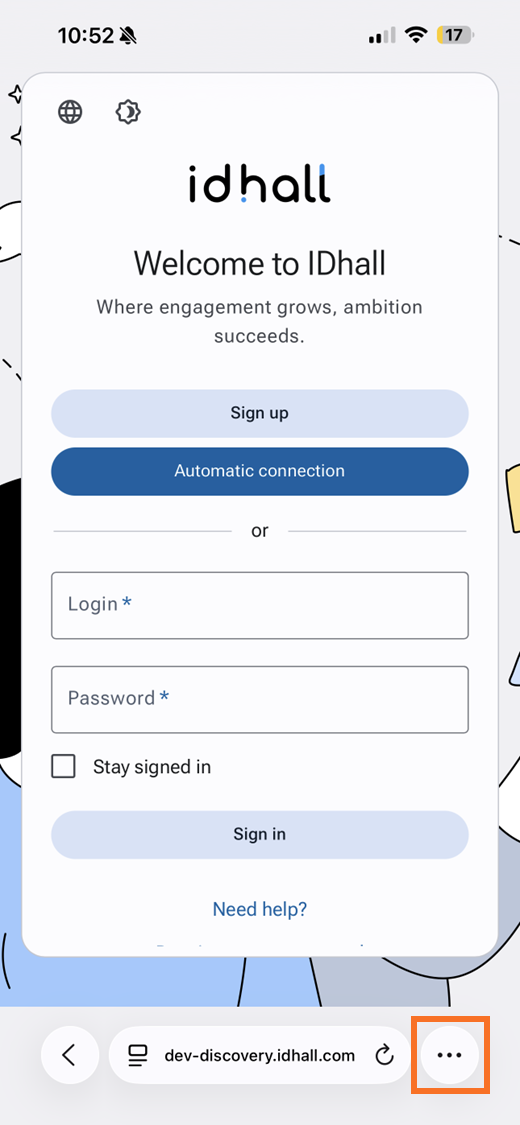
- Then select "Add to Home Screen".
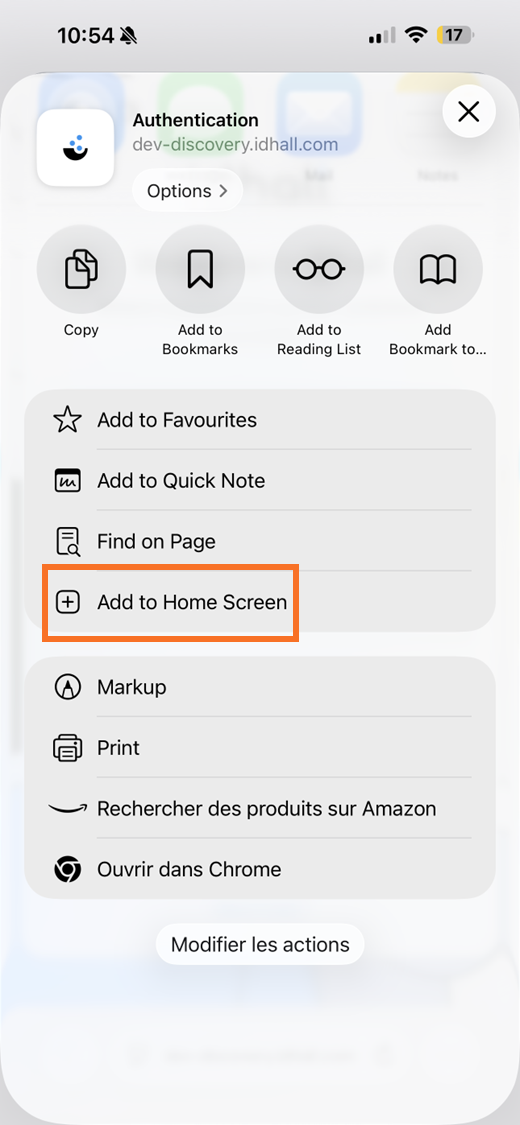
- Give a title to your shortcut and select "Add". An icon will be added to the home screen for immediate access.
To create a shortcut to Android via the Google Chrome browser
- Open your browser.
- Enter the URL of your environment.
- Once on the home page of your environment, go to the options of your browser.
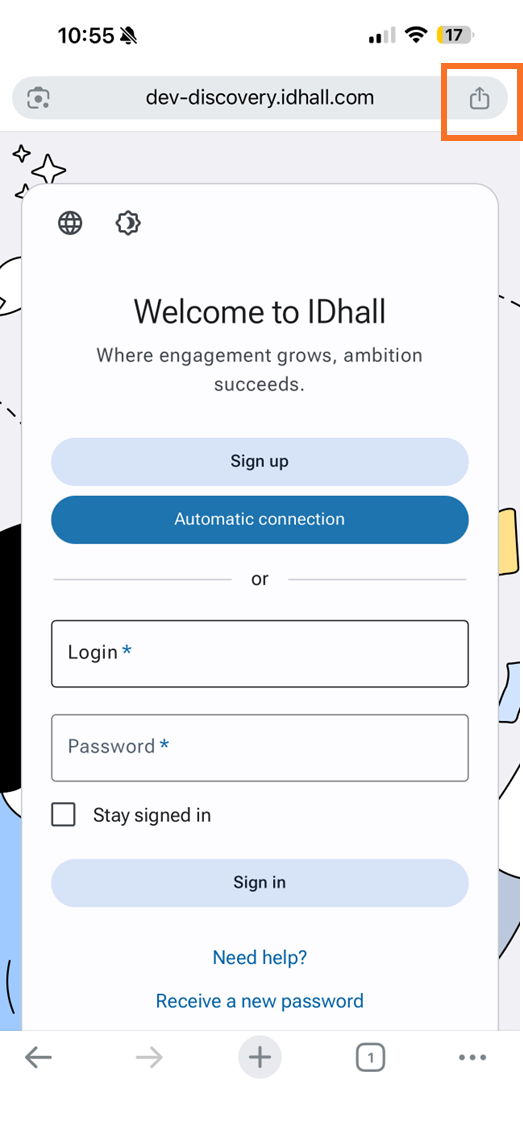
- Then select "Add to Home Screen".
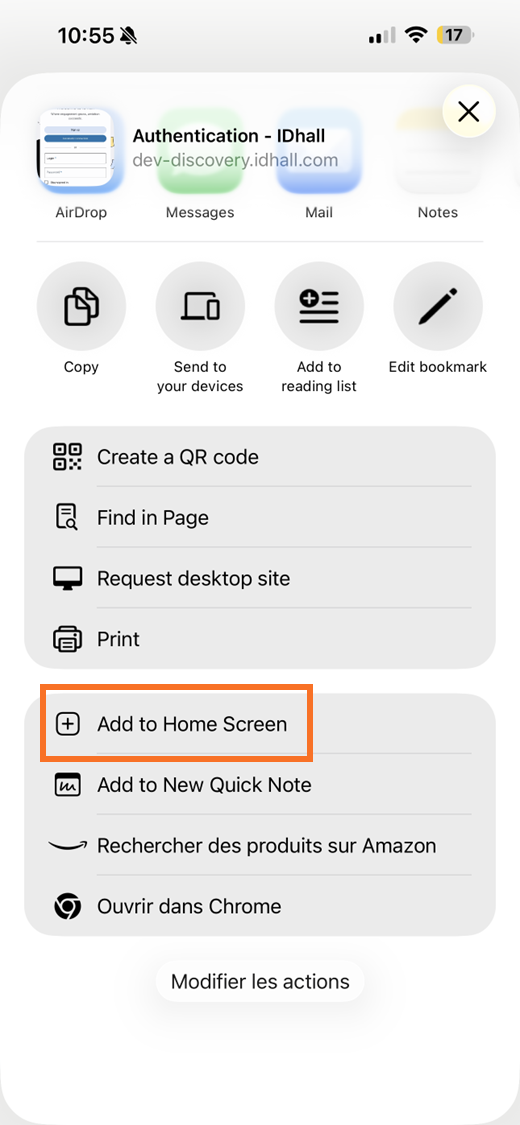
- Give a title to your shortcut and select "Add". An app will be added to the home screen for immediate access.