
You can now enjoy a dark theme on your platform. To activate it, go to your personal menu (click on your First Name-Last Name at the top right of the screen) and select "Appearance":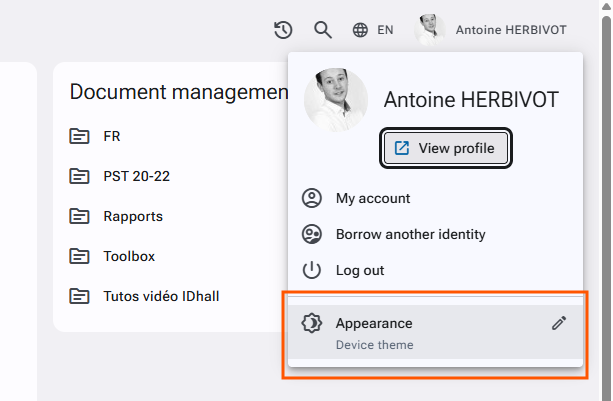
The application automatically chooses between the light theme (classic version) and dark theme based on the theme of the device you are using, on compatible browsers (Edge, Firefox, Chrome, Safari). You also have the option to manually select one of the two themes according to your preferences. Your theme choice (device theme, light theme, or dark theme) is stored exclusively through cookies, so it is specific to the device rather than to the user account.