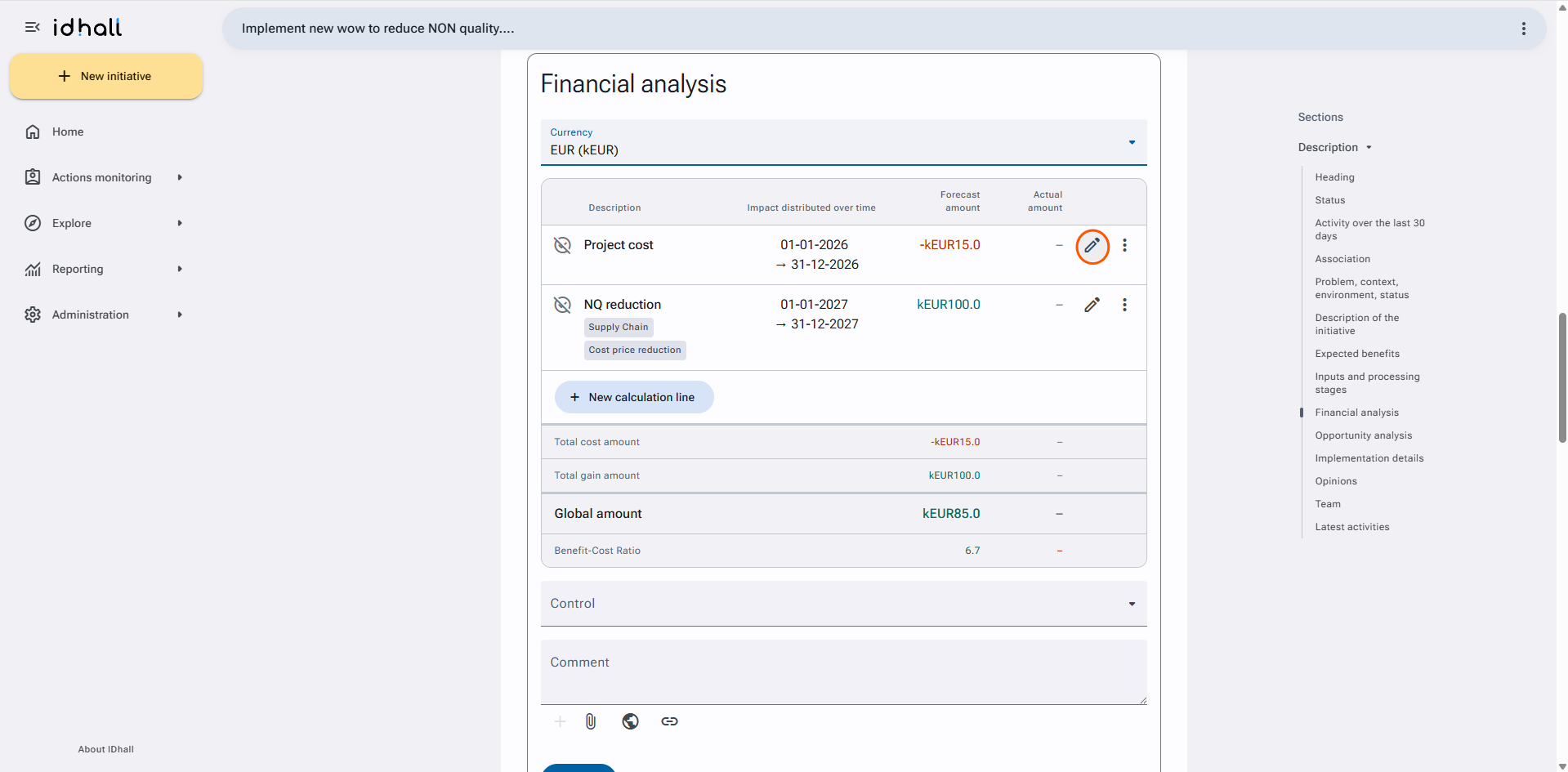
Yes, it is possible to modify the initial amounts of the financial analysis, for this there are 2 options that must be activated:
- The follow-up of the initial amounts.
- The "Edit initial amounts" right in the related access profiles.
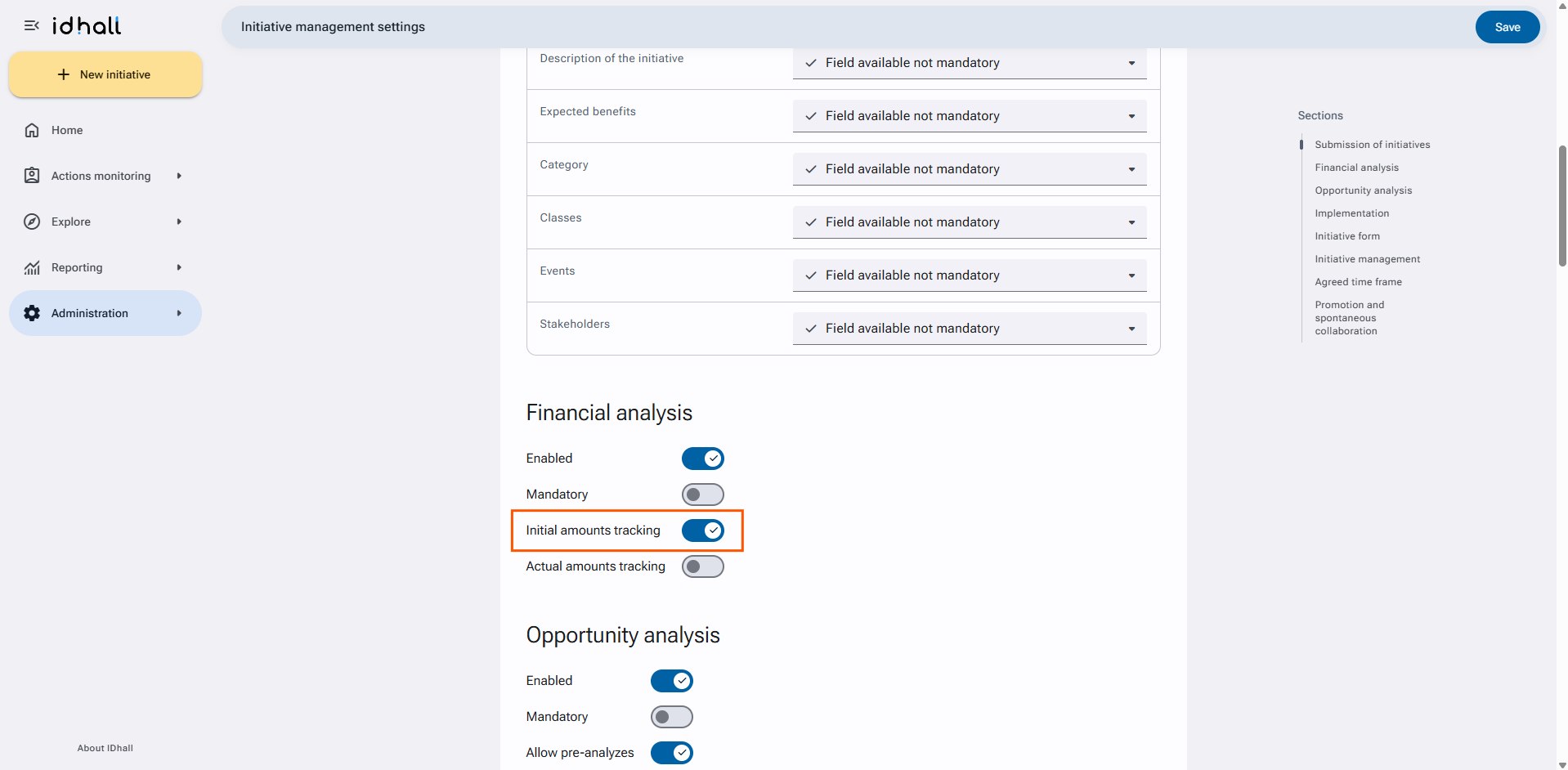
To enable tracking of initial amounts
- Go to Administration > Initiative management > Settings.
- For the "P&L" section, tick "Yes" for the parameter "Initial amount tracking".
- Click on "Save" at the bottom of the page.
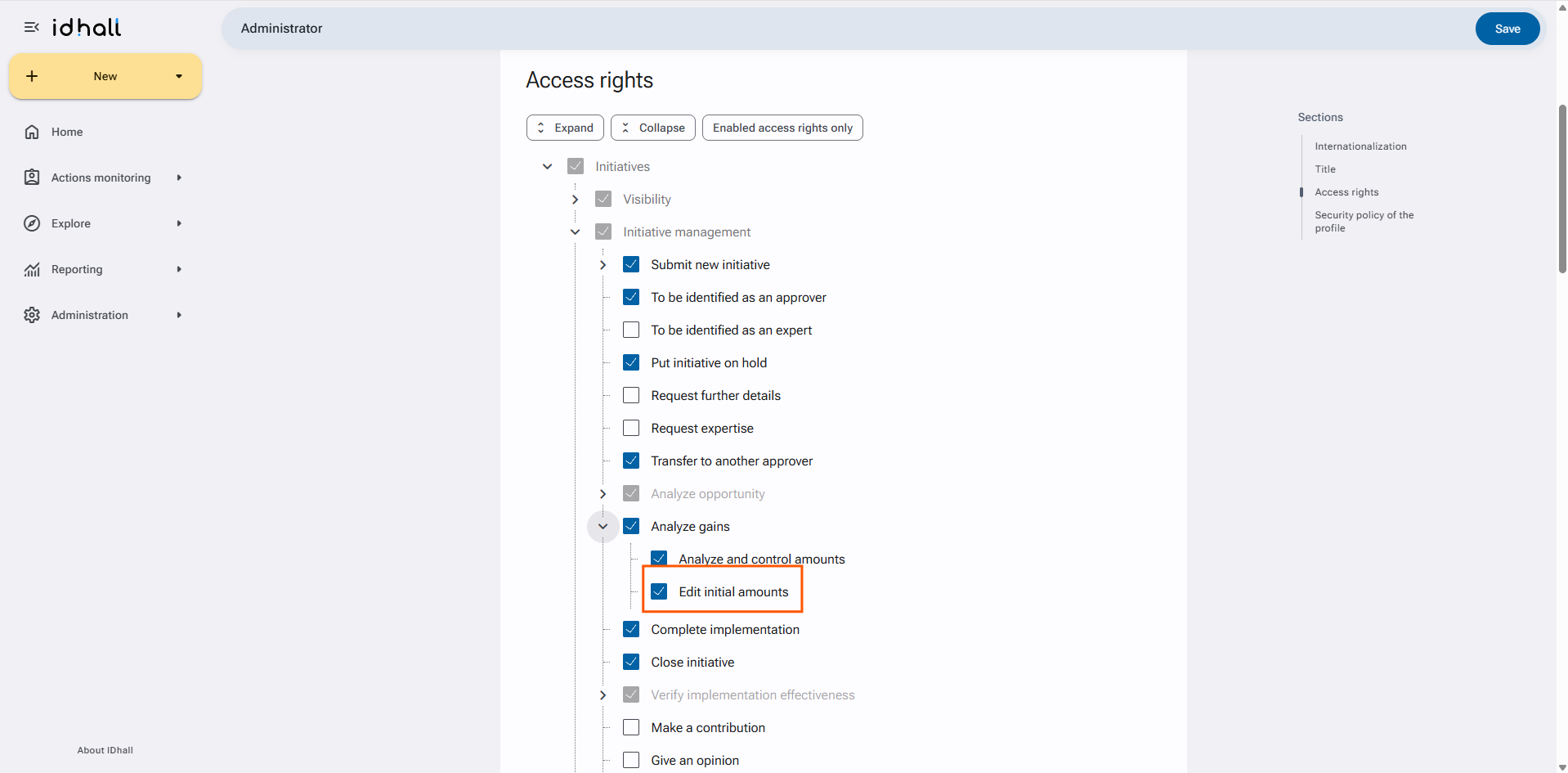
To give the right to edit the initial amounts
- Go to Administration > Users & Access profiles > Access profiles.
- Open the sheet of the profile that should benefit from the right.
- Click on "Edit" in the right panel.
- In the Access rights > Initiatives > Initiative management > Analyse the gains section, check the "Edit the initial amounts" setting.
- Click on "Save" at the bottom of the page.
To edit the initial amounts of the financial analysis
- Access the initiative file containing the financial analysis.
- Click on "Modify financial analysis" in the right pane.
- On the calculation line to be modified, click on the pencil at the top right of the dialog box.
- Click on "Save" at the bottom of the page.